Ten films.
One button.
RAW underneath.
Turn the dial, press the shutter, and every photo comes out finished in a film you love. The RAW original stays underneath, so you can develop it again later on your iPhone, iPad or Mac.
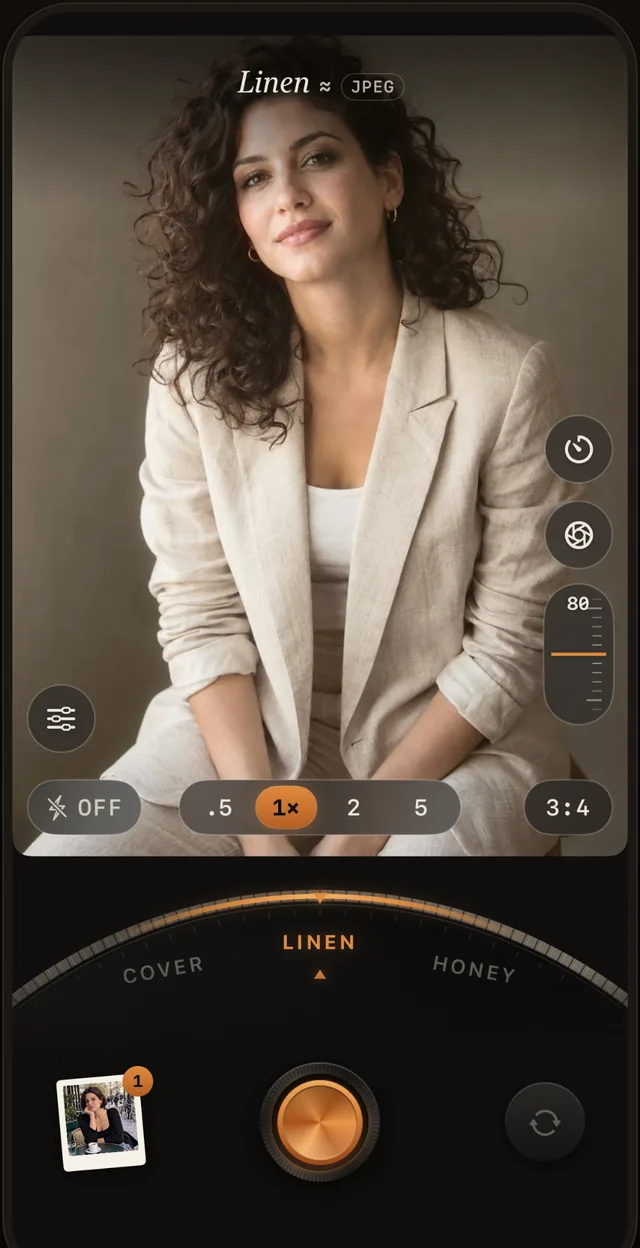
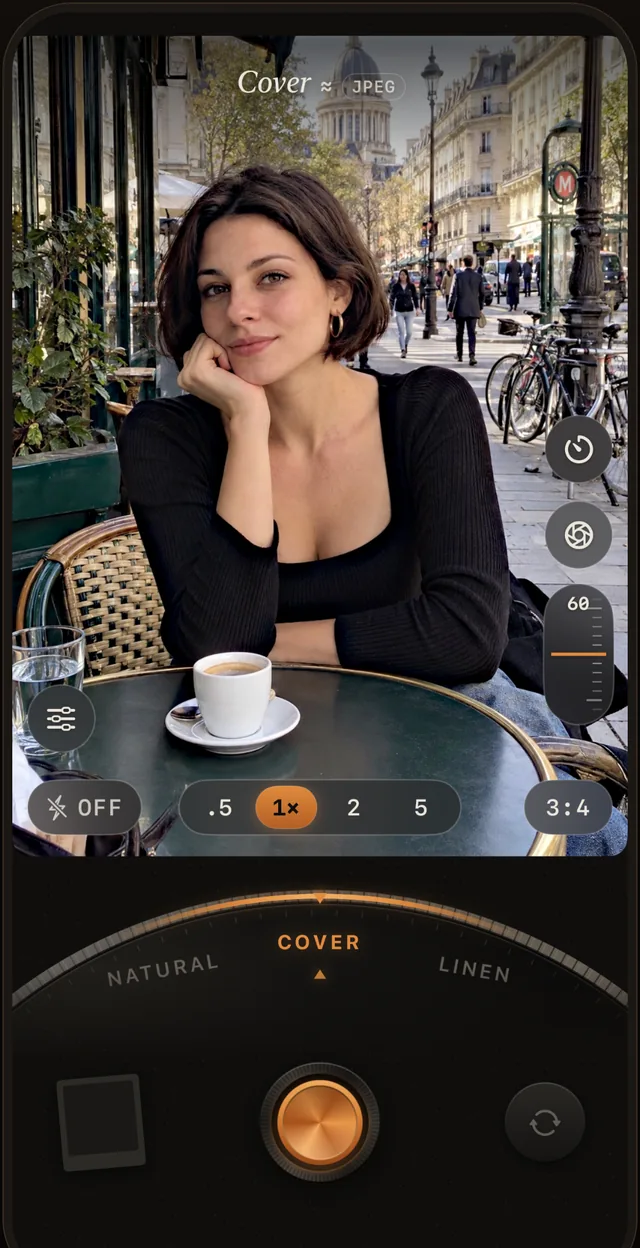
Looks you’ll actually use.
Each film is a kind of picture people already love: a magazine cover, a holiday negative, a drugstore print, a night out on tungsten film. They are clearly different from each other and from the stock camera. Ten sit on the dial, nine more and four studio portrait looks wait in Settings.
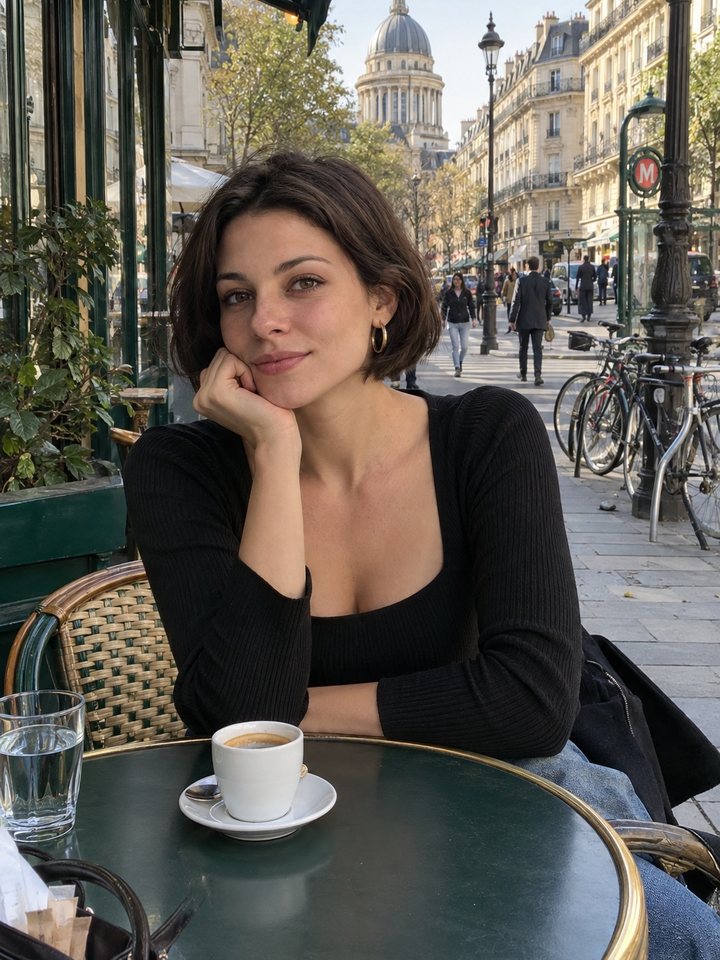
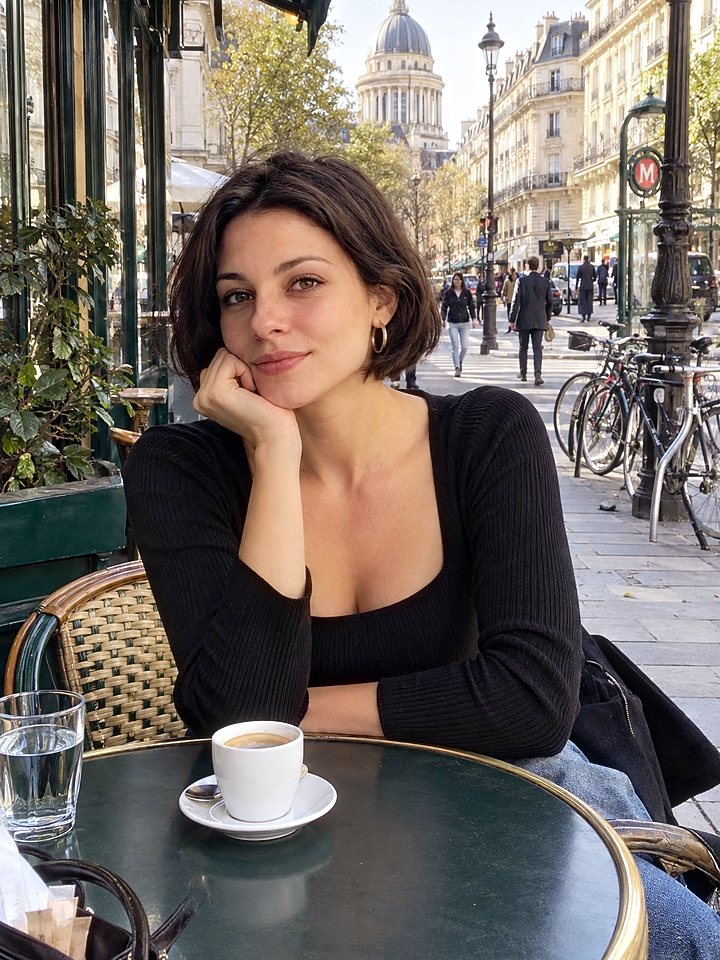
Rendered with the app’s film recipes at each film’s default strength. The slider blends toward the ungraded photo as a preview.
One dial. One button.
No settings to learn.
Turn the dial.
A machined dial under your thumb with a click for every film. On iPhone 16 and later, slide Camera Control instead. Not sure? Auto picks a film from the scene.
Set the strength.
Tap the thin bar on the edge of the picture and slide from a hint of the film to all the way. You see it live before you shoot.
Press the button.
The shutter fires fast and keeps exposures short, so moving kids and pets stay sharp. Your photo is developed on the spot, ready to share.
Every photo is
still a negative.
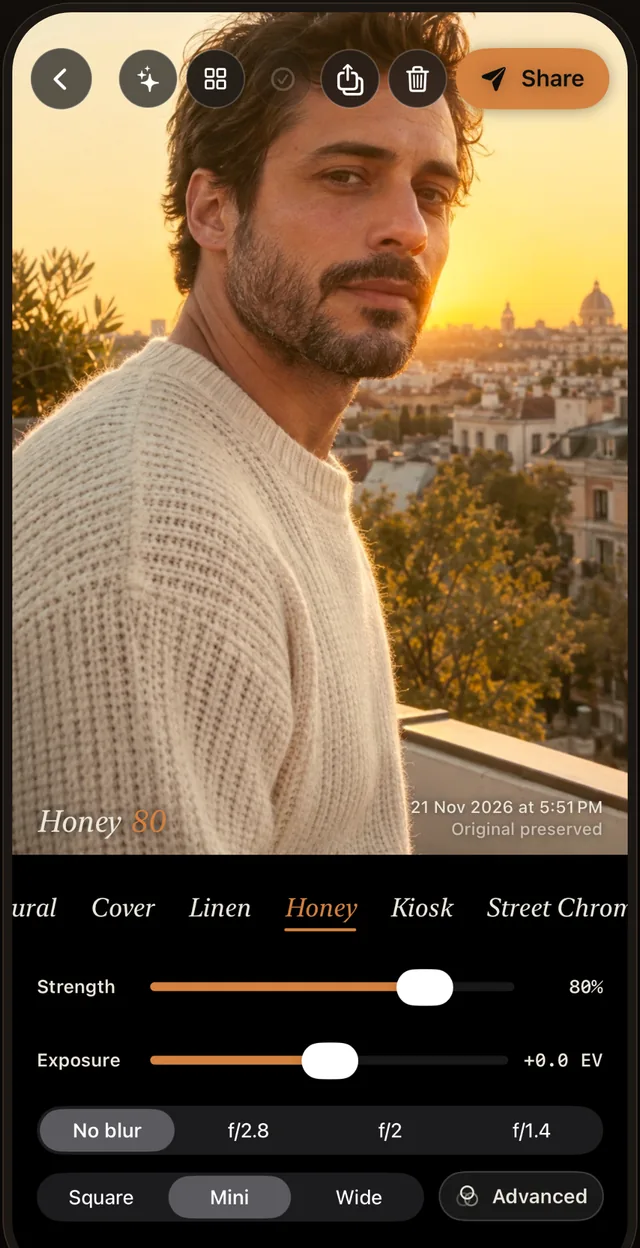
Open any shot and the darkroom is right there under the picture. Swipe to another film, move the strength, lift the exposure, add a touch of background blur. It all develops again from the original.
- The photo fills the screen, with the controls one swipe away. No menus to dig through.
- Film, strength, exposure, depth blur from f/2.8 to f/1.4, and square, mini or wide frames.
- Advanced opens light, colour, curves and grain when you want them.
- The original is never touched. Go back to it any time.
Share the look,
not just the photo.
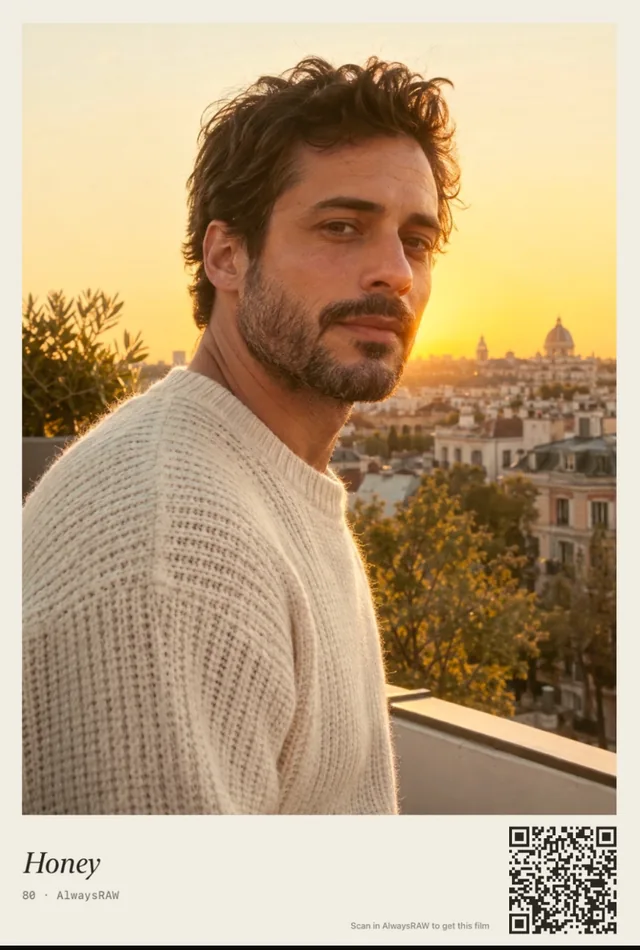
Film Cards
Share a photo as an instant print with its film name and a QR code. A friend scans it and the same film loads in their AlwaysRAW. No server, no account: the whole recipe lives in the code.
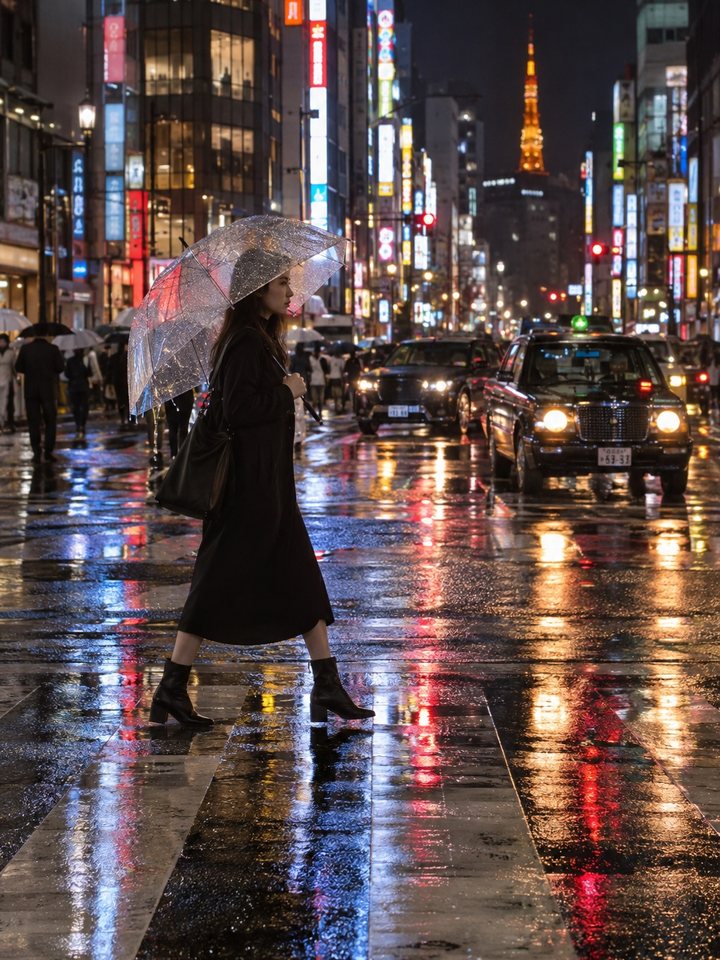
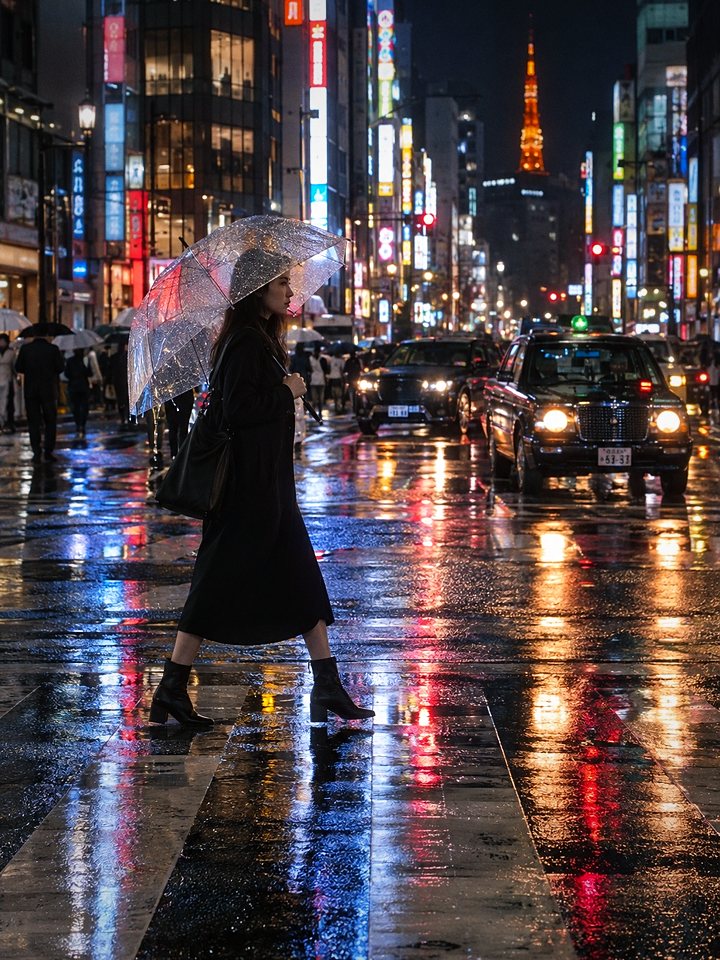
The Reveal
A five-second vertical video that wipes from the flat original to your film. Made for Stories and Reels, and made from the RAW you actually shot.
Shoot on iPhone.
Develop anywhere.
AlwaysRAW isn’t another Lightroom. It’s a film camera, with a darkroom on the bigger screens you already own. Buy it once on iPhone and the iPad and Mac apps come with it.
Ten films, one button.
The film dial, the orange shutter and the RAW original under every shot. Re-develop, share Film Cards and Reveals.
Your roll on a light table.
Import from Photos or Files, see every film on your own photo, and develop a whole roll at once with copy, paste and sync.
A full RAW editor.
Opens straight into your Library. AI Cull picks the keepers and flags the blurry and blinking shots, on your Mac. Then light, colour, HSL, curves, masks, healing and crop. Opens ProRAW and Canon, Nikon, Sony and Fujifilm RAW.
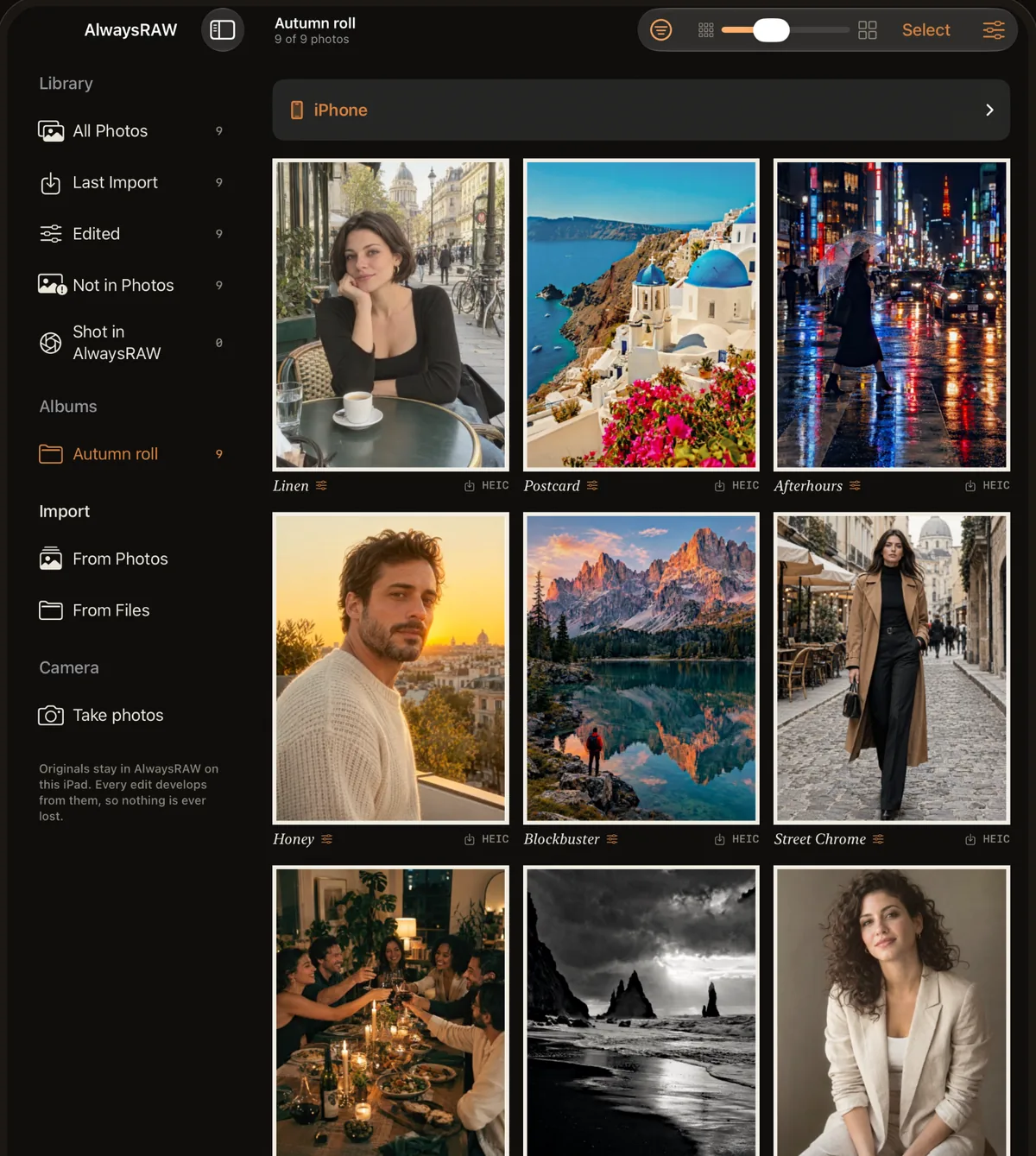 ★★★★☆Cover
 ★★★☆☆Postcard★★★★★Afterhours
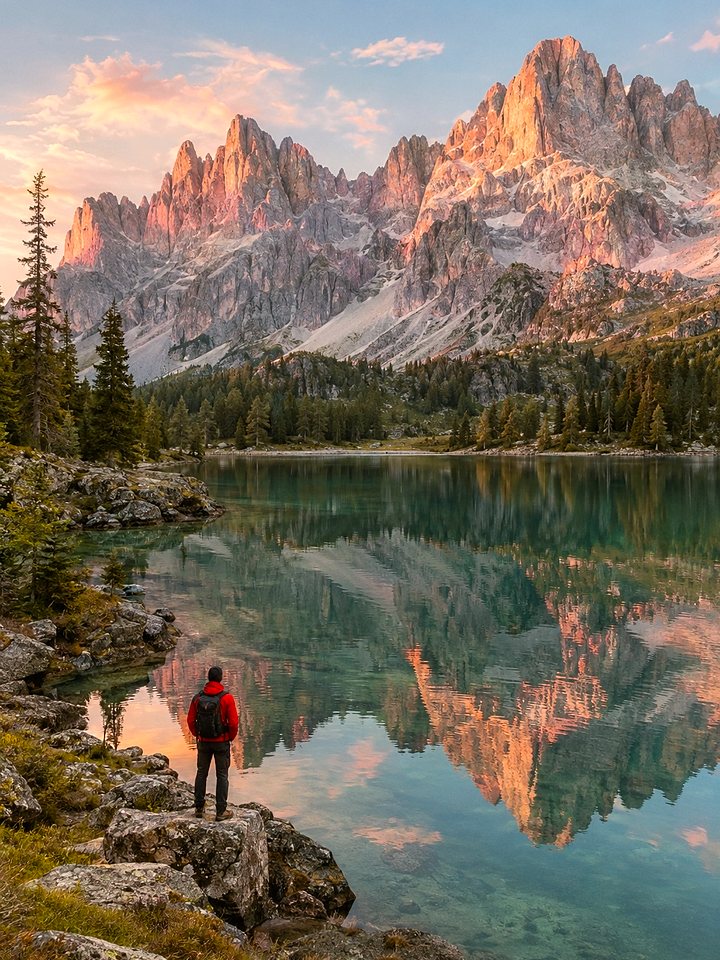 ★★★☆☆Honey
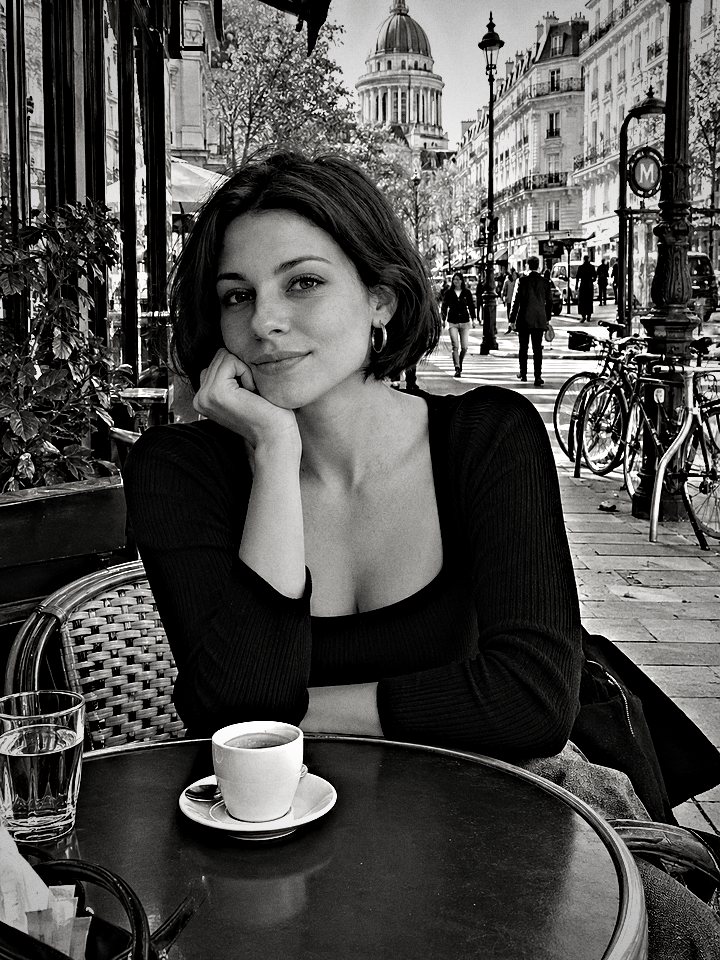 ★★★★☆Monograph
 ★★☆☆☆Kiosk
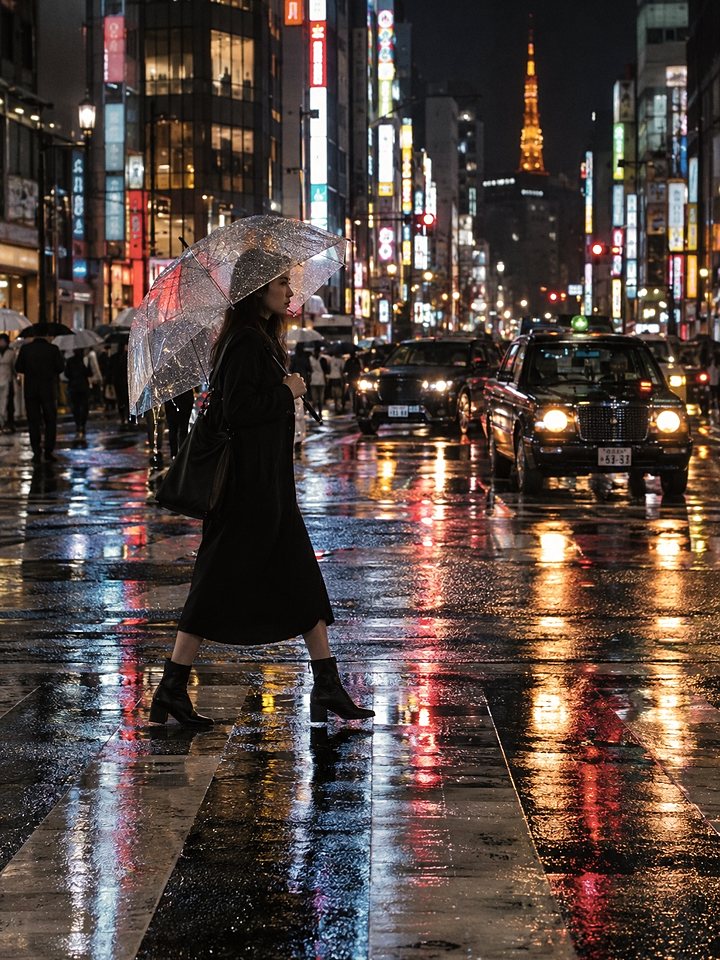 ★★★☆☆Street Chrome
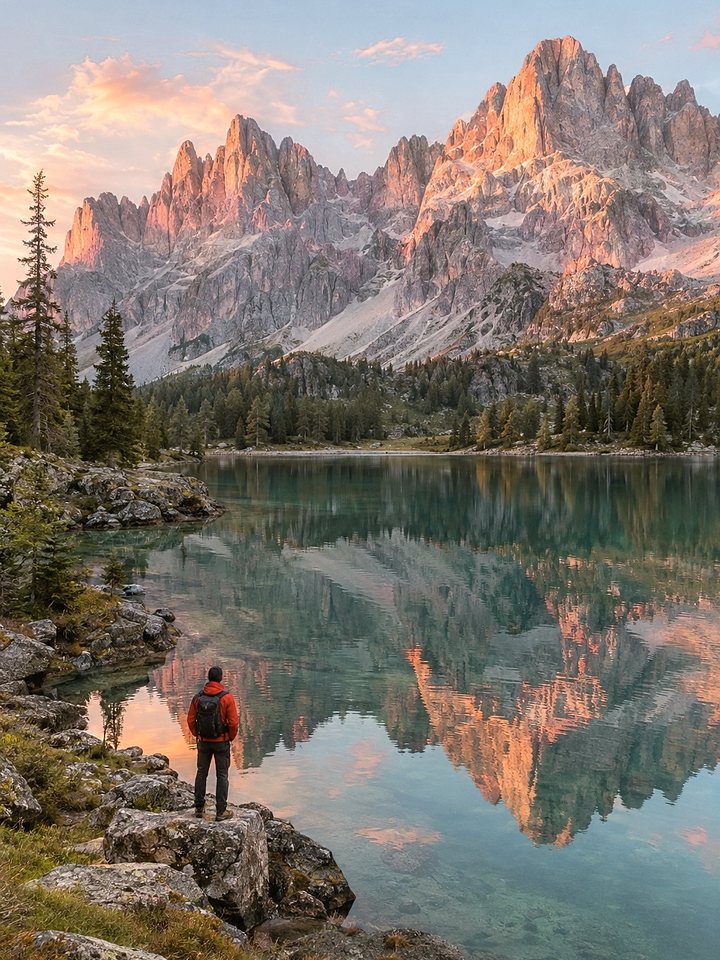 ★★★★☆LinenIMG_0412.DNGiPhone 16 Pro · 24mm · f/1.8 · 1/60
Your RAWs move themselves.
- When your iPhone and Mac are on the same Wi-Fi and the Mac app is open, AlwaysRAW sends your RAW originals straight across. Nothing goes through a cloud.
- Each file is checked on the Mac before anything leaves the phone. Then, if you want, the iPhone frees up the space.
- Edits you make on your iPhone follow the photo to the Mac.
- Unlock the Mac app with a code from your iPhone: Settings, AlwaysRAW for Mac, Get code. It works offline.
Shoot the look.
Keep the negative.
Film toys bake a filter into a JPEG and throw the rest away. AlwaysRAW keeps the original under every frame.
- Apple ProRAW on iPhones that support it, full-quality HEIF on the rest. The app never calls a processed file RAW.
- The finished photo goes to Photos as a HEIC. The RAW original stays in AlwaysRAW: export it as a DNG, or send it to your Mac.
- Natural is the pure RAW: no film, no added sharpening or smoothing.

 ORIGINALHONEY
A camera.
Not a service.
Nothing phones home.
The camera makes no network calls, at launch or while you shoot. It opens fast and works on a plane.
No account. No tracking.
No sign-up, no analytics, no ads. Your photos stay on your devices until you share them.
Everything, unlocked.
Every film, the darkroom and the Mac editor. No subscription, no locked films, no upsell.
Real depth. Real you.
Studio Grey, Low Key, High Key and Rembrandt retouch the real photo with your iPhone’s depth. Nothing is replaced or generated.
Skin that looks like skin.
Every film protects skin tones, so the people you love still look like themselves, even after dark.
Prints, not a feed.
Your shots live on a contact sheet of little prints, each with its film on the edge, like a real roll.
Pay once.
Get all three.
One purchase on the App Store. No subscription, no in-app purchases, no account.
- iPhoneThe film camera, all ten films plus nine more and four studio portrait looks, Film Cards and the Reveal.Included
- iPadThe darkroom for whole rolls. It comes with the same App Store purchase.Free
- MacThe full RAW editor and iPhone sync. Download it below, then unlock it with the code from your iPhone. 14 days to try without one.Free
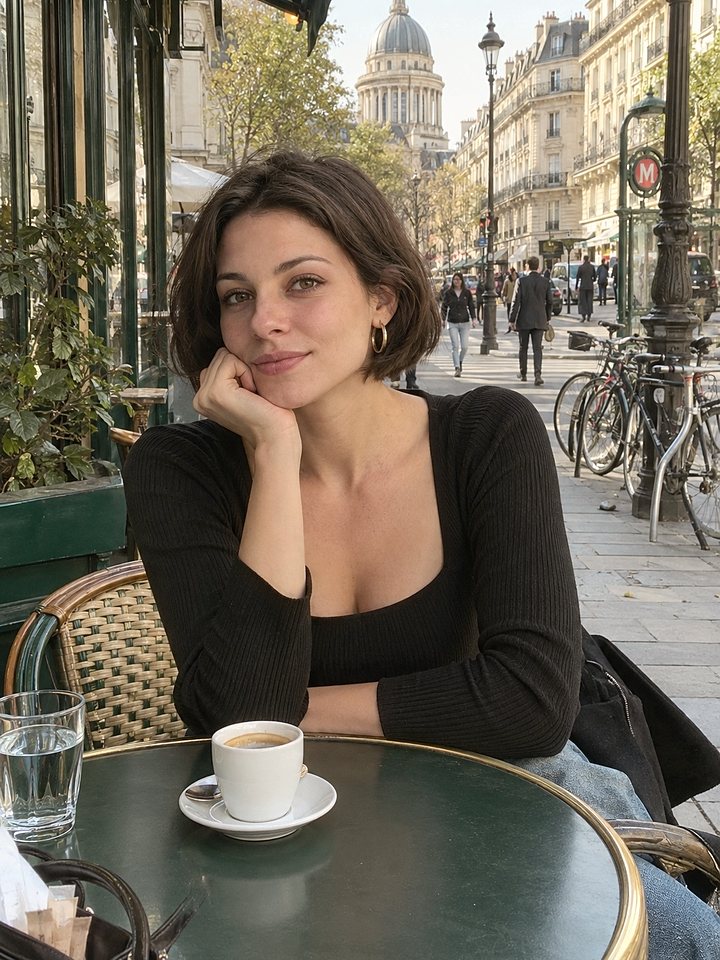 LinenLINAfterhoursAFTPostcardPCD
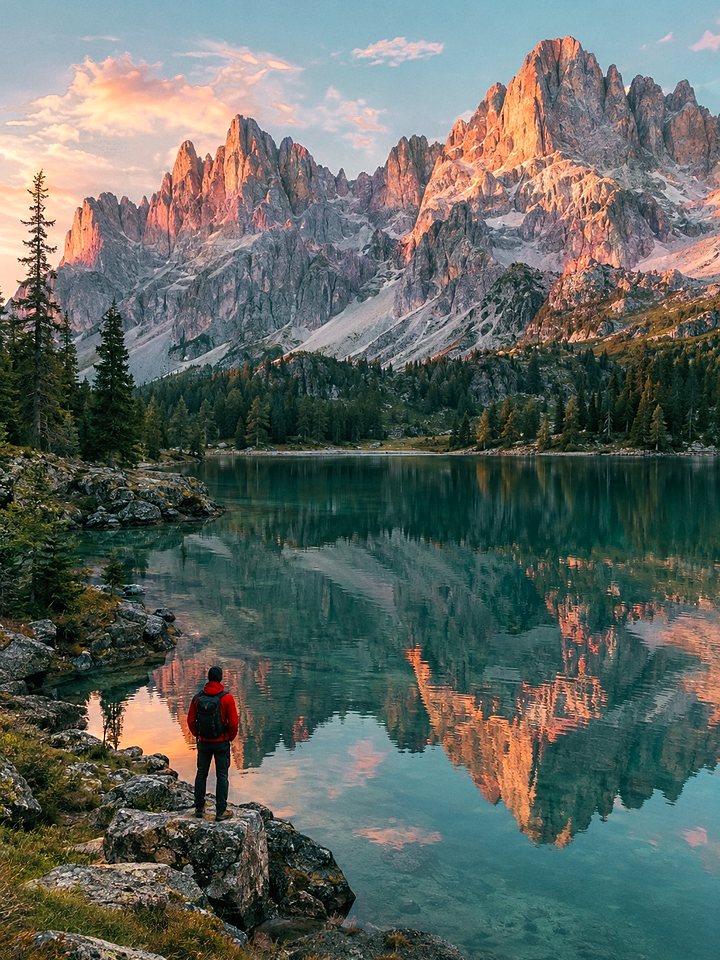 KioskKSKMonographMONHoneyHNYStreet ChromeSTC
 BlockbusterBLK
Good to know.
What does it cost?
$5.99, once, on the App Store. That includes the iPhone camera, the iPad darkroom and the Mac editor. There is no subscription and there are no in-app purchases.
How do I get the iPad and Mac apps?
On iPad, download AlwaysRAW from the App Store with the same Apple Account: it’s the same purchase. For Mac, download it from this page, then on your iPhone open Settings in AlwaysRAW, choose AlwaysRAW for Mac and tap Get code. Paste the code into the Mac app. It checks the code offline, and you can try the Mac app for 14 days before you need one.
Which devices does it run on?
iPhone and iPad with iOS 26 or iPadOS 26 or later, and Macs with macOS 26 or later. Apple ProRAW capture needs an iPhone Pro model that supports it; other iPhones capture HEIF and still get every film. On iPad, AlwaysRAW is a darkroom and uses Apple’s camera for the odd snapshot.
Is every photo really RAW?
On iPhones with ProRAW, yes: the original DNG is kept in AlwaysRAW with every developed photo, and you can export it or send it to your Mac any time. Photos gets the finished HEIC. On other iPhones the original is a full-quality HEIF. The app always shows which one you have.
How does iPhone to Mac sync work?
Turn on Receive from iPhone in the Mac app and type the pairing code it shows into AlwaysRAW on your iPhone, once. After that, RAW originals go straight from the phone to the Mac whenever both are on the same Wi-Fi. Nothing is uploaded to a cloud, and sync never runs while you’re shooting.
Can I change the film after I take a photo?
Yes. Open the photo, swipe to another film or move the strength. It’s developed again from the original, so nothing is lost.
Do the studio portrait looks use AI to change my photo?
No. They use your iPhone’s real depth data to calm the background and shape the light. Nothing is replaced and nothing is generated.
Do I need an account?
No. There’s no sign-up, no cloud and no tracking. The App Store label says Data Not Collected, and that’s the whole story.
Does it shoot video?
No. AlwaysRAW is a stills camera, on purpose.
Ten films. One button.
RAW underneath.
$5.99 once. iPhone, iPad and Mac.